
Asset Tracking
Every Asset. Every Move. Every Dollar.
Know where every laptop, chair, microscope, and piece of surplus property is, who has it, what shape it’s in, and what it’s worth today. From the day it’s tagged to the day it’s retired.
- Audited in Rm 214 by J. Rivera
- Calibration completed
- Received, tagged, and assigned to Biology
Know What You Own. And Where It Is.
Spreadsheets and annual counts can’t keep up with equipment that moves between rooms, people, and buildings. QTrak gives every asset a tag and a living record, so anyone with the app can scan it and see its full story.
Asset Tracking works on its own. There’s no locker hardware to buy: your team tags items, scans them as they move, and QTrak keeps the record current.
- Barcode, QR, or RFID tags scanned with a phone
- One record per asset, from purchase to disposal
- Fields and workflows configured to match your policies
Built for anything you need to account for
Track More Than Location
Location is only the start. QTrak keeps the details your finance, facilities, and audit teams ask for, all on the same record.
Count everything, and catch what’s missing
Walk a room, scan what’s there, and QTrak compares it against what should be there. Anything missing, stolen, or damaged becomes an incident report, tied to the last person who had it.
- Room-by-room audits from the mobile app
- Found, missing, and misplaced lists in real time
- Loss, theft, and damage reports with claim details on file
See every hand an asset has passed through
Each check-out, transfer, and return is logged with who, when, and where, along with signatures and photos when you need them.
- Assign assets to people, departments, or rooms
- Signature and photo capture at hand-off
- A complete, time-stamped history that can’t be edited
Book shared equipment before you need it
People reserve loaner laptops, cameras, and AV carts ahead of time, pick them up with a scan and a signature, and get reminders before they’re due back.
- Reservations with pickup and due dates
- Availability calendar that prevents double-booking
- Due-date reminders and overdue alerts
Keep equipment in service
Schedule calibration, inspections, and routine service. Staff log condition with photos whenever an asset is touched, and QTrak totals the downtime when something breaks.
- Recurring schedules with reminders and overdue alerts
- Condition ratings with before-and-after photos
- Downtime hours to back repair-or-replace decisions
Get repairs covered before coverage ends
Keep warranty terms, service contracts, and vendor contacts on each asset. QTrak alerts you before coverage expires, so repairs go to the vendor instead of your budget.
- Warranty start and end dates on every record
- Service contracts, renewal dates, and vendor contacts
- Alerts before warranties and contracts expire
Kits that come back complete
Link chargers, lenses, cases, and cables to a parent asset, or bundle items into kits. When a kit comes back, staff check off each piece, so missing parts are caught on the spot.
- Parent and component relationships
- Kits checked out and returned as one
- Missing-piece alerts at return
See what’s earning its keep
Compare how often assets are used against what they cost to own and maintain. Idle equipment can be shared or sold, and busy equipment can make the case for more.
- Utilization from check-outs and scans
- Total cost of ownership with repairs included
- Reports that support budget requests
Keep grant-funded property audit-ready
Record each asset’s funding source, award number, and any use or disposal restrictions. When a sponsor or auditor asks, the inventory and the paperwork are already together.
- Funding source and award number on every asset
- Inventory reports by grant, sponsor, or department
- Approvals before restricted items are moved or disposed of
From book value to the right exit
QTrak calculates depreciation automatically and forecasts which assets will need replacing, and what that will cost. When an asset is retired, it records how it left: reused, sold, donated, recycled, or destroyed.
- Automatic depreciation and current book values
- Replacement forecasts for budget planning
- Surplus, reuse, and disposal with certificates on file
One Record, Start to Finish
Every asset follows the same path. QTrak records each step, so the history is there when someone asks.
- 1
Receive & tag
Log the purchase, attach a tag, and add photos and warranty details.
- 2
Assign
Check it out to a person, department, or room with a signature.
- 3
Maintain
Schedule service, log repairs, and track downtime.
- 4
Audit
Scan rooms to confirm location and condition.
- 5
Retire
Move it to surplus, reuse it, or dispose of it with records on file.
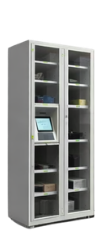
Want Self-Service Check-Out? Add Asset Pods.
Asset Tracking doesn’t need lockers. If you’d like people to pick up and return equipment on their own, any time of day, Asset Pods plug into the same asset records.
Ready to Account for Every Asset?
Request info or schedule a demo today.